Android
- Installation: APK direct from northspin.app (not Google Play)
- Minimum OS: Android 6.0 or later recommended
- Enable: Settings > Security > Install unknown apps
App at Northspin: Mobile Version Explained
Play 6,000+ games, claim your bonuses, and manage deposits and withdrawals from your phone. The Android APK is available directly from northspin.app; the iOS version installs as a PWA in seconds via Safari.
Everything You Need, Right in Your Pocket
Play 6,000+ games, claim your bonuses, and manage deposits and withdrawals from your phone. The Android APK is available directly from northspin.app; the iOS version installs as a PWA in seconds via Safari.
Get the App 18+ only. Gambling carries a risk of addiction, so play within your limits. Bonus terms apply.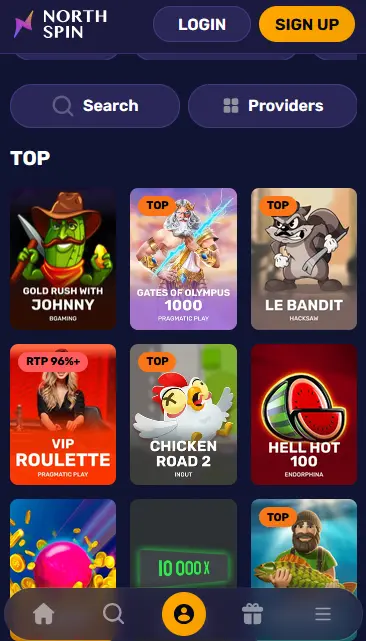
How to Download and Install
Northspin App: Pros and Considerations
Pros
Cons
Device Requirements
Android
iOS
Why Use the Northspin Mobile App
Full Game Catalogue
Every slot and live table available on the desktop site is accessible in the app, including Evolution Gaming live dealers and Pragmatic Play titles such as Gates of Olympus.
Instant Payments
Deposit via Visa, Mastercard, Apple Pay, Skrill, or Neteller directly in the app. Withdrawals are processed through the same cashier with no separate step.
Secure Sessions
256-bit SSL encryption covers every session. Face ID and fingerprint login are supported on compatible iOS and Android devices for quick, secure access.
Stay Safe on Mobile
What You Should Do
What You Should Avoid
Managing your funds in the Northspin mobile app is handled through the same cashier available on the desktop site. There is no separate mobile payment system, and all methods work identically regardless of which platform you use.
Visa debit cards, Mastercard debit cards, Apple Pay, Skrill, Neteller, and bank transfer are all accessible through the in-app cashier. Apple Pay is particularly convenient on iOS, as it uses the device’s existing wallet and authenticates via Face ID or Touch ID with no need to enter card details manually. Skrill and Neteller offer the fastest withdrawal turnaround, typically 0-24 hours from the moment the withdrawal is approved.
| Method | Deposit Speed | Withdrawal Time | Min Deposit |
|---|---|---|---|
| Apple Pay | Instant | 0-24 hours (e-wallet route) | £20 |
| Skrill | Instant | 0-24 hours | £20 |
| Neteller | Instant | 0-24 hours | £20 |
| Visa debit | Instant | 1-3 business days | £20 |
| Mastercard debit | Instant | 1-3 business days | £20 |
| Bank transfer | 1-3 business days | 3-7 business days | £20 |
All financial transactions in the app are encrypted under the same 256-bit SSL protocol as the desktop site. Card details are not stored locally on your device; they are tokenised and managed by the payment provider. KYC verification is required before a withdrawal is approved, and the verification process is fully automated within your account profile.
The Northspin mobile catalogue mirrors the desktop lobby without any reduction in scope.
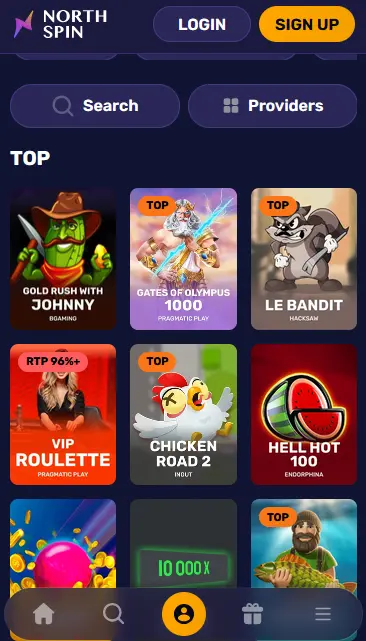
Every slot in the catalogue is playable on mobile, including high-profile titles such as Gates of Olympus (Pragmatic Play, RTP 96.5%), Sweet Bonanza (Pragmatic Play, RTP 96.47%), Dead or Alive 2 (NetEnt, RTP 96.8%), Fruit Warp (Thunderkick, RTP 97%), and Book of Dead (Play’n GO, RTP 96.21%). Megaways titles, jackpot slots including Mega Moolah by Microgaming and Divine Fortune by NetEnt, and bonus-buy variants are all rendered correctly on mobile displays.
The live dealer section from Evolution Gaming and Pragmatic Play Live is fully accessible in the app. Lightning Roulette, Crazy Time, Infinite Blackjack, One Blackjack, Speed Baccarat, Monopoly Live, and Deal or No Deal Live all stream smoothly over a standard 4G or Wi-Fi connection. A stable connection is particularly important for live dealer games; if your signal is weak, the app will prompt you before a live session begins.
RNG-based table games and crash-format titles such as Aviator from Spribe (RTP 97%) function in the app exactly as they do on desktop. Touch controls replace mouse interaction, with tap gestures mapped to all bet placement and game functions.
The Northspin app transmits all data, including account credentials, payment details, and game session data, over 256-bit SSL encryption. No sensitive information is written to your device’s local storage in unencrypted form.
Face ID and fingerprint unlock are supported on compatible devices for app login, removing the need to type your password on every session. For account-level changes such as a withdrawal above a certain threshold or an email address update, the casino may require email confirmation as an additional verification step. Contact [email protected] to discuss enabling enhanced security options for your account.
The Northspin Android APK and iOS PWA cover the majority of devices currently in circulation. The Android APK is tested on devices running Android 6.0 and above; older versions may encounter display or performance limitations. The iOS PWA relies on Safari’s WebKit engine and performs best on iOS 13 or later. Neither version requires more than a standard amount of device storage: the APK file is under 30 MB, and the PWA is cached progressively in your browser without occupying significant space.
The Android APK is distributed exclusively through northspin.app and is not listed on Google Play. Installing it requires a one-time change in device settings to permit APK files from sources outside the Play Store. This setting can be restricted again after installation without affecting the app’s operation. No additional software or frameworks are needed.
The iOS PWA installs through Safari’s native Add to Home Screen function. It behaves like a standalone application: it opens without Safari’s address bar, supports full-screen mode, and allows device notifications if you choose to enable them. Unlike App Store applications, it does not go through Apple’s review process, so updates are applied server-side and you always have the current version when you open the shortcut.
The Northspin app gives you access to every function available on the full desktop site: game lobby browsing by provider and category, account deposits and withdrawals, live chat with support, the full promotions page, and your VIP programme status and point balance. The northern-lights design theme carries across the mobile interface consistently, with no layout shifts or missing sections when switching between portrait and landscape orientation.
Playing through the app rather than a standard browser session keeps your game session persistent even if you briefly switch to another application on your device. The app handles notifications for promotional offers if you have opted in to receive them. In terms of games and account features, there is no functional difference between the app and the browser version of the site.
See the step-by-step guide in the card above for the exact installation process on Android and iOS. The Android APK is downloaded in a single file from northspin.app; the iOS PWA is pinned to your home screen via Safari’s Share menu. Neither route requires a store account or a credit card to download. Full bonus terms for mobile play are identical to the desktop offer.
If you do not yet have a Northspin account, you can register directly inside the app. Tap the Sign Up button on the opening screen and complete the form with your name, email address, date of birth, and a password. An email verification link is sent automatically; tap it to activate your account. Once verified, your account is immediately eligible for the welcome package.
Use the email address and password you registered with to sign in. If biometric login is enabled on your device, subsequent sessions can be authenticated with a fingerprint or Face ID without typing your password. If you forget your password, the Forgot Password link on the login screen sends a reset link to your registered email. Full troubleshooting guidance is available on the login page.
The full three-deposit welcome package is available to players who register and deposit through the mobile app. There is no mobile-specific terms adjustment; the 100% first deposit match up to £850 plus 100 free spins on Big Heist by Pragmatic Play applies equally whether you deposit via the app or the desktop site. The High Roller First Deposit option (125% up to £3,400) is also accessible in the app cashier. Wagering requirements, maximum bet limits, and validity periods are identical across all platforms. 18+ only. Please gamble responsibly. Full details on the bonus page.
All weekly VIP promotions, including the VIP North’s Tuesday free spins on Gold Express, VIP Midweek Surge reload, and VIP Northdom Weekend package, are claimable through the app. Daily cashback is credited automatically to your app account balance at the rate corresponding to your current VIP tier, from 5% at Bronze to 15% at Rubin. 18+.
Live chat is accessible directly within the app via the support icon in the menu. Connection to a human agent typically takes under three minutes at any time of day. Email queries can be sent to [email protected] for non-urgent matters. VIP members from Silver tier upward have a dedicated personal manager reachable by phone, chat, or email around the clock.
Deposit limits, time-out periods, and self-exclusion are available by contacting the support team through live chat or at [email protected]. These tools apply across all platforms, including the app, so a limit set through mobile chat is enforced on desktop sessions too. The minimum age to play at Northspin is 18.
App Questions Answered
Yes. The Northspin Android app is an APK file downloaded directly from northspin.app, so Google Play is not required or involved. You simply enable installation from unknown sources in your device settings, install the file, and the app runs as normal.
iOS 13 or later is recommended for the best PWA experience. The Add to Home Screen feature used to install the PWA is available in Safari on all current iPhone and iPad models.
Yes, the full live casino from Evolution Gaming and Pragmatic Play Live, including Lightning Roulette, Crazy Time, Infinite Blackjack, and Speed Baccarat, is accessible inside both the Android APK and the iOS PWA.
Northspin does not push automatic updates through a store. When an update is released, visit northspin.app, download the new APK, and install it over the existing version. Your account data and preferences are stored server-side and will not be lost.
Get the Northspin App
Grab 100% up to £850 and 100 free spins.
Spin Now 18+ only. Gambling carries a risk of addiction, so play within your limits. Bonus terms apply.